






Login to BatWeb
Forgot your password?
Get the Official game client for BatMUD™, a joint effort by Balanced Alternative Techniques ry and Mythicscape Ltd. It easens up the very high learning curve of our Game; one of the most feature rich fantasy MMO in existence. The client has a friendly graphical user interface and is available at a friendly price on Steam store. Playing is otherwise free of charge (no subscription). The client works on Windows, Linux and SteamOS. Mac version is coming to Steam.
Enter BatMUD's gameworld and see text-based fantasy gaming at its finest!
Note: If you do not wish to use our graphically assisted client, you can also connect to BatMUD (bat.org) with many of the commercial or free MUD clients available on the Internet.

Note: Steam version offers Steam Cloud (953 MiB storage) and configuration/settings traversal between your platforms.
Key features
Character status window
A familiar setting; your personal statistical information for hitpoints, spell points and endurance points, among your fully customizable character profile picture, name, level and unused experience points. Besides these, this view offers targetting information with the target's health bar. All of these metrics are updated in real-time for playability.
Party window
A typical player-formed and -managed full 9-man adventuring group. In our Realm, you don't need a separate charter to be able to form a team. Several parties can link, thus forming a raid. There are special areas that require 18 players to even be able to enter, for instance..
As seen here, other party members also see your personal character portrait. The party view and its health bars update in real-time for all members. You can also mouse drag & drop players to different slots.
Keyboard shortcuts
Besides normal key-bindings, you can tie the F1, F2,.. keys for specific actions, also more elaborately to such as 'heal your partyTarget', who you've just chosen by mouse-click.
Tabbed windows
Besides adding new windows and deciding which output (e.g. tells to you) gets sent there (or to several windows at once), windows may be added within windows through the tab-function. Tabs highlight on new output and you can cycle them through on key-combos such as Ctrl-Tab.
Realm map window
The Realm map shows your current location (and also your group members' locations), it gives you the opportunity to zoom in/out and search for preset locations anywhere within the Realm. You can also center the view and use it for navigational purposes, in case the (enhanced) normal map view is too small for you. You can add your own location markers (and notes) to the Realm map view, import new ones or export yours for others.
Trigger manager
Batclient incorporates a very powerful scripting language, as well as triggers, macros, lites, plugins and whatnot. You can basically do anything with the Batclient; make it interface with your coffee machine or such. Next upcoming features include easening the management of triggers.
Supports all major operating systems
Batclient runs factually on almost any desktop computer. We have confirmed and tested that it runs even on such as Sony Playstation 3 and the lightweight Asus EEE laptop.
Effects display (new in version 1.80)
A required feature in the MMO world, the ability see player buffs and effects. While this feature has been available in the text-mode BatMUD for almost two decades, it's been added as a graphical view now, too. See what's affecting you: all individual buffs such as blessings and other bonuses as well as any negative effects - debuffs and diseases, with their lenghts or time remaining. Filterable and customizable in terms of grid and icon size.
Full feature list v1.94
- Light, Quick installation and removal
- Highly user-customizable environment
- Separate Battle, Map, Tell and Channel windows (preset)
- Graphical Player status view with health bars
- Target name and health display bar
- Full Realm map w/ location markers (custom)
- Own location (and Party members) display on Realm map
- Panning and Zooming 9 levels of Realm maps (2 special)
- Filter, Search, Add, Delete, Import & Export map markers
- Quick keys / Action buttons, multi level (F1, F2,..)
- Ability to bind Action btns to selected/party/latest target
- Plugin framework (Java), player made extensions
- Triggers, Regular expressions, Macros, Scripting, Aliases
- Graphical Party view w/ real-time party member stats update
- Mouse drag & drop party placement
- Mouse-click / click-on targetting on party, items and monsters
- Fully customizable player portrait (64x64 pixels)
- Create own Channel-windows / groups, redirect ouput
- Font selection: type, size (+font colour selection)
- Quick re-focus back to command line (CTRL-ENTER)
- Latency monitor, link warning
- Quick reconnect / disconnect / exit options
- Automatic updates (to new version releases)
- Word completion/matching (on TAB) according to history
- Click-on character interaction (where applicable)
- URL recognition (mousehover / click-on opens browser)
- Copy/Paste-options (CTRL-C/V & right-click)
- Numpad-movement for normal keyboards
- Quick shift to Operating System (ALT-TABing)
- Boss-key which turns Batclient into a Notepad (hotkeyable)
- Many game enhancing Global variables & client-side Echoing
- Effects display with timers, customizable (Buffs/De-buffs)
- Ability to load External configuration over http (from Web)
- Full listing of client-specific commands (/help)
- ALL game side features included and fully playable
- Supports 'all' screen resolutions
- Full-screen and Windowed modes
- Extended mode can be used to spread game on 2 screens
- Re-direct Battle / Map etc. window output
- Window moving & resizing on all windows
- Window transparency (custom + alpha on/off)
- Window position locking, 'always on top' feature, minimization
- Detach/Move tabs within groups or to own windows
- Ability to modify client-default ANSI colours
- Key binding (full keyboard)
- Background images/colours (custom)
- Sophisticated script editor & language
- Custom interfacing (possible to create own interfaces)
- Scrollback w/ option to activate scroll-lock (PGUP)
- Scrollable buffer (mouse wheel/PGUP,PGDN)
- Split-window scrollback (option)
- Select all last command repeat (option)
- Commandline backlog functionality (ARROW UP/DOWN)
- BatMUD customized, built-in scripts (lite) etc.
- Fast keying (CTRL-TAB etc.) to run through tabs
- Window cycling / bring to front (SHIFT-CTRL-TAB)
- Built-in channels for catch-all, last_command etc.
- Support for multi-line prompts
- Multiple command lines
- Customizable scrollback buffer(s): up to infinite
- Scrollbar-display optionality
- Extended logging, autologging and appending options
- Global variables usable from command line and Action buttons
- Extended debug: /trigtest command, trigger_debug channel
- Right mouse-click emulation with CTRL-click for MAC users
- Easy to use Trigger manager for quick game triggers creation
- Click-on movement / moving by mouse
- Creation of macros from within triggers, e.g. %1
- Built-in set of game triggers available in client (activatable)
Videos
Screenshots
The game client supports any resolution (for example, also 1920x1200).
 1024x768 full-screen
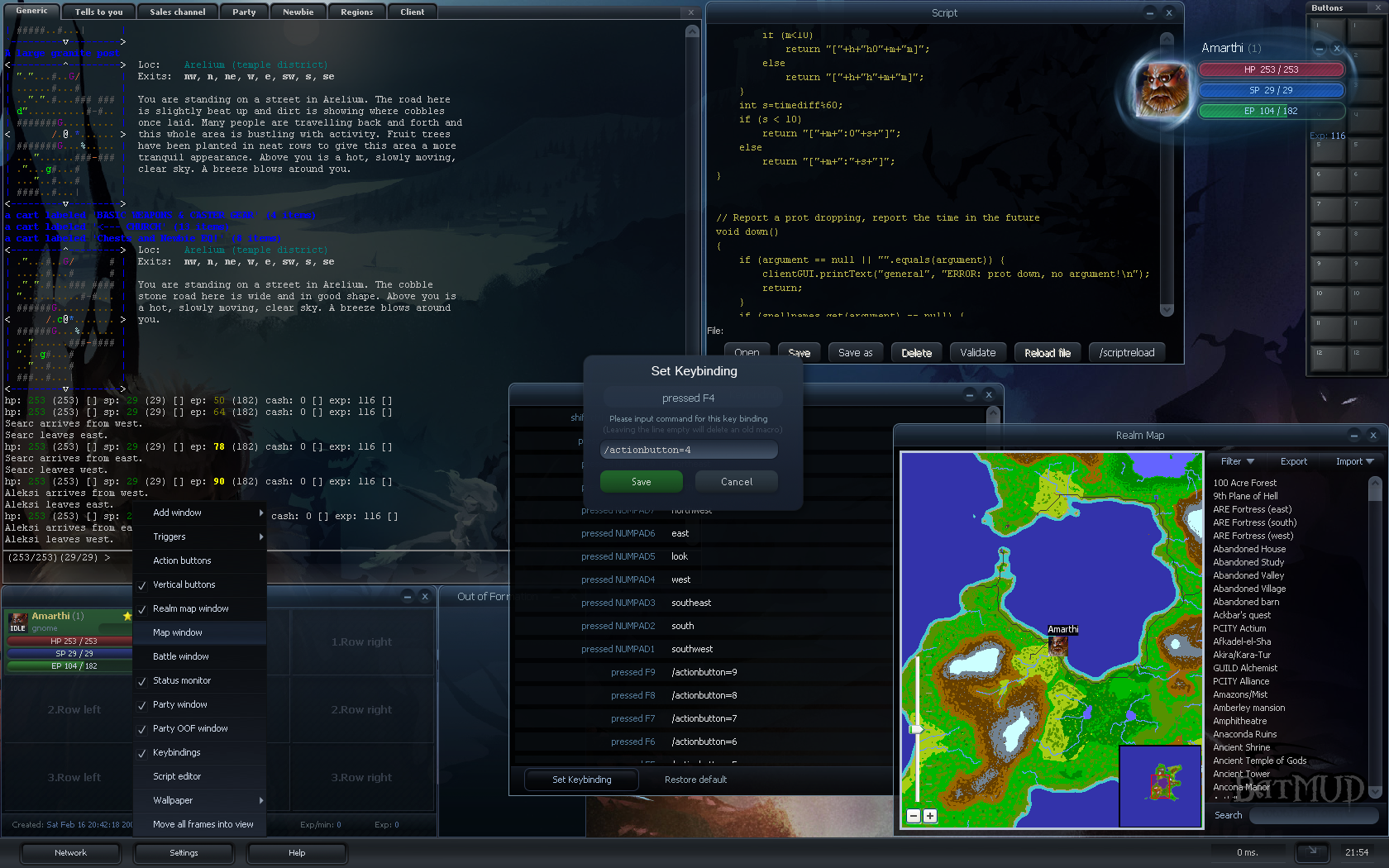 1680x1050 full-screen
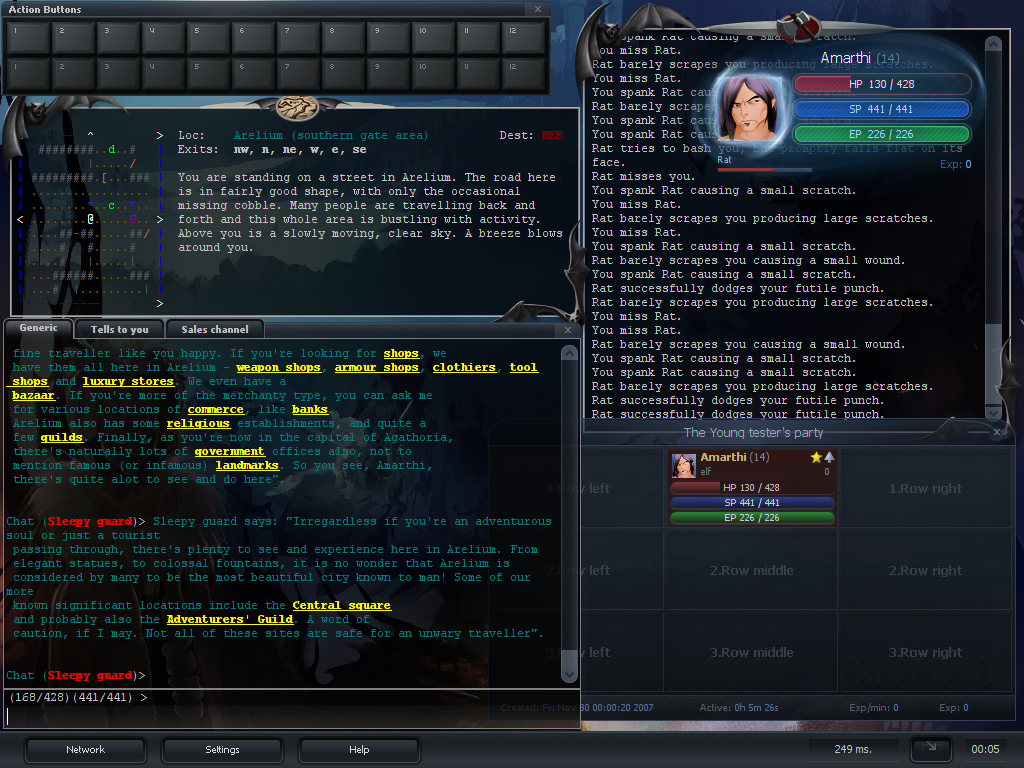 1024x768 full-screen
System Requirements
Processor: anything that can run the operating system
Operating Systems: Windows / Linux / Mac OSX / Solaris (+any Java compliant OS)
Minimum memory: 128MB of free RAM suggested
Hard disk/storage: 10MB available HD space suggested
Internet connection
Additional resources
For ready-made plugins, scripts and triggers for the Batclient, see here.
Click here for the Javadoc; interface descriptions for coding your own plugins for Batclient.
For more information and the latest updates, see the client message-board on our Forums.